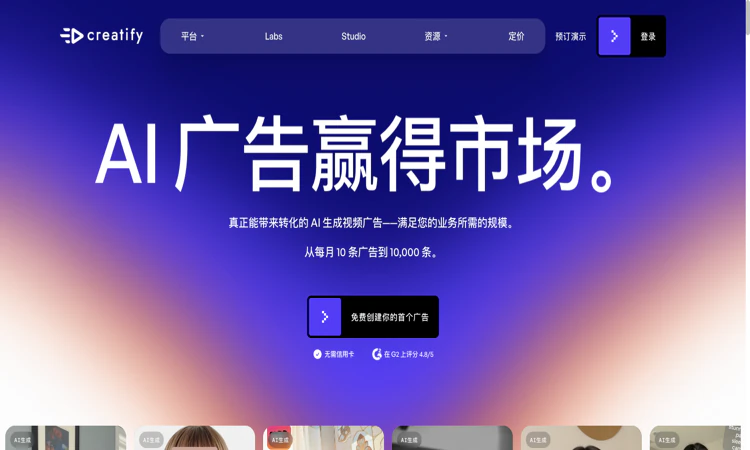
Creatify AI is an AI platform for creating and iterating image and video advertisements.
We are not the official developer of Creatify AI. This page helps users find, understand, and use the product.
Creatify AI helps advertisers turn a product page, a brief, or supplied media into advertising assets. The public website groups its workflow around discovering ideas, producing creatives, launching campaigns, and reviewing performance. Creatify AI includes URL-to-video, avatar videos, image ads, a model playground, and the node-based Ad Flow editor. Its focus is commercial creative production: a retailer can begin with a product URL instead of assembling every scene manually. Creatify AI also presents creative and performance agents, although availability depends on the chosen plan. The distinguishing experience is the connection between product information and multiple ad formats. A generated draft still needs factual review, suitable product imagery, and an appropriate offer. The public pages demonstrate these features; this guide does not claim that an ad was generated or that campaign results were independently measured.
A team needs to know who supplies the source, who reviews the result, and what the next person receives. This edition treats the product as one stage in that collaborative handoff.
For Creatify AI, prepare a public product page plus an approved description of its offer. The target deliverable is a short advertising draft with an accurate offer, readable text, and a suitable visual treatment. Use this as an acceptance condition rather than assuming that every completed draft or preview is ready for its final audience.
Before calling a Creatify AI project complete, check product appearance, pronunciation, offer accuracy, caption readability, and the final call to action. Preserve the original material so a correction can be traced to the source. Keep a copy of the accepted deliverable through the available official workflow, especially when storage or access is limited.
Before a team adopts Creatify AI, agree on the source owner and the reviewer. The input is a public product page plus an approved description of its offer; the accepted output is a short advertising draft with an accurate offer, readable text, and a suitable visual treatment. Separate permission to create a draft from permission to publish, share externally, or approve a purchase. This gives each stage a clear owner.
The Creatify AI handoff should contain the approved brief, source product link, selected script, final asset, and permitted advertising channels. A reviewer should be able to identify the intended outcome and the remaining uncertainty without replaying the entire production process. Include any plan-dependent restriction that affects the next person, such as access, export availability, storage, or a separate delivery condition.
Use one small Creatify AI project to test that handoff before expanding team access. Ask the receiving person to locate the source, explain the decision, and continue from the delivered material. If that requires missing context, improve the brief or checklist first. A collaboration feature is valuable only when the team can understand and use the work it makes available.
Creatify AI publishes a privacy policy identifying Creatify Lab Inc. as the operator. Creating assets involves sending product information, scripts, and potentially uploaded media to the service. Connecting an advertising account is an additional permission decision: the policy describes access to campaign information and performance data for those integrations. Creatify AI can be evaluated with public product information before a team decides whether to connect business accounts. Use images and likenesses you are entitled to upload, and review the requested permissions for the particular feature.
For Creatify AI, review the current policies before providing sensitive material. This public-page check is not a security audit.
Creatify AI addresses a recognizable advertising problem: teams need several creative angles and formats for the same offer. Its URL-to-video entry point, avatar presentations, and batch-oriented tools make that promise easy to demonstrate. The official website publishes customer stories, but these are vendor material rather than independent performance guarantees. No verified single viral event or origin of current search interest was established during this check.
The Creatify AI public homepage was reachable on 2026-10-22; individual account features and jobs were not tested.
Compare Creatify AI alternatives against the required input and deliverable; capabilities and commercial terms differ.
The official Creatify AI website is https://creatify.ai/. Use the official navigation to reach account, pricing, downloads, and support rather than relying on a similarly named search result.
The Creatify AI pricing FAQ lists a free allowance of 10 credits per month, with watermarked exports. It describes up to two video ads or twenty image ads within that allowance; different creation tools can consume different amounts. Paid Standard, Pro, Max, business, and enterprise options are shown. Creatify AI displays monthly and annual billing choices, so a discounted monthly equivalent should not be mistaken for a month-to-month charge. Verify the selected tool and billing interval on the live pricing page.
Yes for the creation service; the public website can be browsed without signing in.
The official public attribution for Creatify AI is Creatify Lab Inc.
Yes: the official Creatify AI public website was accessible when checked on 2026-10-22. No account creation, customer upload, paid output, or physical order was tested.
Creatify AI: Provide the approved brief, source product link, selected script, final asset, and permitted advertising channels. Add the acceptance condition and the remaining review questions so the receiving person can make a concrete decision without reconstructing the full project.
Generated scripts can invent or exaggerate a benefit; avatar suitability, source-image quality, credit consumption, and watermark rules require a separate review. A practical Creatify AI evaluation should include one example that exposes the limitation most relevant to your project. Check the current plan or item details again before a subscription, purchase, integration, or external handoff.
Start with Creatify AI and use one simple product with clear photographs, a factual benefit, and a single call to action. Keep the source, acceptance condition, and final decision together so the next step is based on an observed result.
Official references checked or linked from the reviewed website: Official website; Official pricing; Privacy policy; Terms of service.
Last checked: 2026-10-22. Verify current Creatify AI plan details before a purchase or integration.

Flying Roadster AI Video Generator takes a car photo on a cinematic journey, with optional portrait, vertical or widescreen framing, and downloadable results.

Project Moon Life is a free browser journey through a changing City, where each randomized life follows a different route shaped by your choices.
Flower Wand Garden is a free, browser-based interactive camera experience that turns your fingertip into a virtual magic wand.
Seven free football mini-games in one browser hub — career sims, legend guessing, squad building, and a daily challenge that is identical for everyone.

Get an instant, fully in-browser PSL rating from one photo — nothing uploads anywhere, and you receive a score, tier, breakdown, and share-ready card.
Recreate the hidden band of a world flag with HSB sliders while the preview updates live — five rounds a game, scored by perceptual color distance.