Before aggregator platforms existed, buying AI meant buying providers one at a time. This piece compares that old way with the approach NanoGPT takes, line by line, using only the terms the NanoGPT site documents. The goal is not to declare a winner in the abstract but to show exactly which costs move when you switch to NanoGPT and which costs stay exactly where they were.
The old way starts rationally enough. You need a strong text model, so you subscribe to one. A month later you need images, so you subscribe to an image service. A colleague swears by a different lab, so you create a third account to check her claims. By the end of a quarter you carry four subscriptions, four invoices, four sets of rate limits, and four different privacy policies, none of which talk to each other.
The costs of the old way are not only the monthly fees. Switching between providers means switching interfaces, and comparing answers means copy-pasting between tabs with separate login sessions. Every criticism of this arrangement that NanoGPT builds its pitch on starts with the same observation: the work of managing the tools starts competing with the work the tools were bought to do in the first place. When a new model launches, the old way asks you to evaluate an entirely new vendor relationship, while the NanoGPT way asks you to glance at a new entry in a catalog that already reached 1,214 models this month.
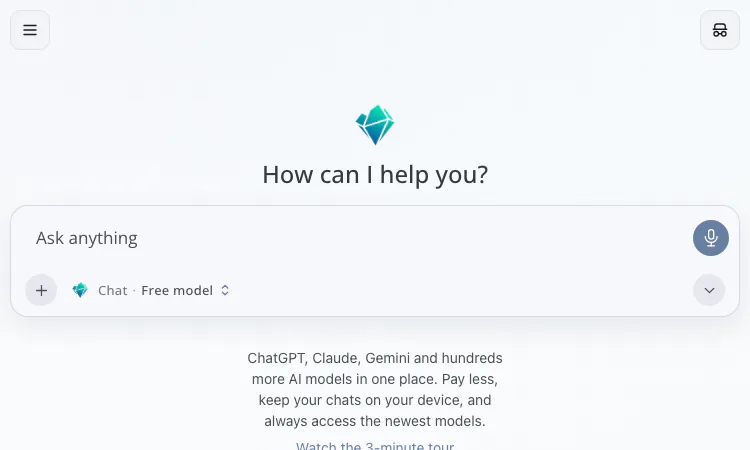
NanoGPT replaces the row of accounts with a single prepaid balance and a single catalog: 1,214 models from 119+ AI labs at the time of writing, covering text, image, video, audio, 3D, and an API-only decisions category. The NanoGPT interface is one input box with a model selector in the composer, so comparing two labs on NanoGPT is a dropdown change rather than a tab switch between two logged-in sessions.
The NanoGPT payment model inverts the subscription default. NanoGPT deposits start at $0.10 in crypto or $1 by card, with no deposit fees, and NanoGPT billing is by token, roughly four tokens per three words, with input and output metered separately. A dormant NanoGPT month costs nothing at all, which no fixed subscription can say. Every NanoGPT response displays the exact cost of that call, so the comparison shopping that the old way made awkward becomes a built-in habit on the platform.
It is worth being precise about the NanoGPT savings claim, because NanoGPT does not discount the models themselves. The NanoGPT pricing page states that API token prices are provider list prices with no markup: a model at $5 per million input and $30 per million output tokens at its original provider costs exactly $5 and $30 on NanoGPT. The savings, where they exist, come from paying for usage instead of paying for access.
Consider the $12 per month NanoGPT subscription as a middle case between the two ways. It includes 60 million input tokens per week, free output on open-source models such as GLM, DeepSeek, Kimi, MiniMax, MiMo, and Qwen, and 100 images per day on four image models, resetting Mondays at 00:00 UTC. For a heavy but covered workload, one NanoGPT line item beats several separate subscriptions. For a light or closed-model workload, Claude, GPT, Gemini, and Grok always bill from the NanoGPT balance, and the flat-rate competitors may win on price. The honest summary is that NanoGPT changes the shape of the bill from fixed to variable, and whether that helps depends on how much your usage varies from week to week.
The old way had real advantages that a fair comparison keeps on the table. Direct provider accounts offer first-party features the moment they ship, dedicated support relationships, and a single throat to choke when something breaks. On NanoGPT, pinning a specific provider adds a 5% surcharge, bring-your-own-key requests through NanoGPT bill at 5% of the normal model cost, and some uncensored models sit outside the NanoGPT subscription. If your workload needs one specific provider deeply rather than many providers broadly, the NanoGPT aggregation adds a layer without adding much leverage.
Privacy behaves differently too. Direct providers typically keep conversation history on their servers; NanoGPT keeps chat history on your device by design. For some users that is an upgrade in control, and for users who expect cloud-synced history across every device it is a missing feature of the NanoGPT approach. Neither position is wrong, but they are different, and choosing between them honestly means noticing the difference before the choice gets made for you by a default setting somewhere.
Put side by side, the choice looks like this. The old way suits someone with stable, single-provider needs who values first-party depth above everything else. The NanoGPT way suits someone whose needs cross providers, whose usage varies, or who wants prices attached to every call. NanoGPT adds an OpenAI-compatible API over the whole catalog, per-response cost reporting, NanoGPT benchmark rankings across 114 tracked benchmarks from 8 independent sources, and a ten-cent entry point instead of a monthly commitment.
The one-sentence verdict: NanoGPT does not make any single model cheaper than its maker does, and NanoGPT does not try to. What NanoGPT removes is the coordination cost of many models, the minimum monthly spend that unused capacity creates, and the blindness of a bill that arrives a month after the work that caused it. For anyone maintaining multiple AI subscriptions at once, auditing that whole stack against a prepaid NanoGPT balance for one month is a cheap experiment with a clear readout at the end of it. For anyone happily inside a single provider, the old way still works fine, and the NanoGPT catalog will still be there if a second provider ever enters the picture.

Flying Roadster AI Video Generator takes a car photo on a cinematic journey, with optional portrait, vertical or widescreen framing, and downloadable results.

Project Moon Life is a free browser journey through a changing City, where each randomized life follows a different route shaped by your choices.
Flower Wand Garden is a free, browser-based interactive camera experience that turns your fingertip into a virtual magic wand.
Seven free football mini-games in one browser hub — career sims, legend guessing, squad building, and a daily challenge that is identical for everyone.

Get an instant, fully in-browser PSL rating from one photo — nothing uploads anywhere, and you receive a score, tier, breakdown, and share-ready card.
Recreate the hidden band of a world flag with HSB sliders while the preview updates live — five rounds a game, scored by perceptual color distance.