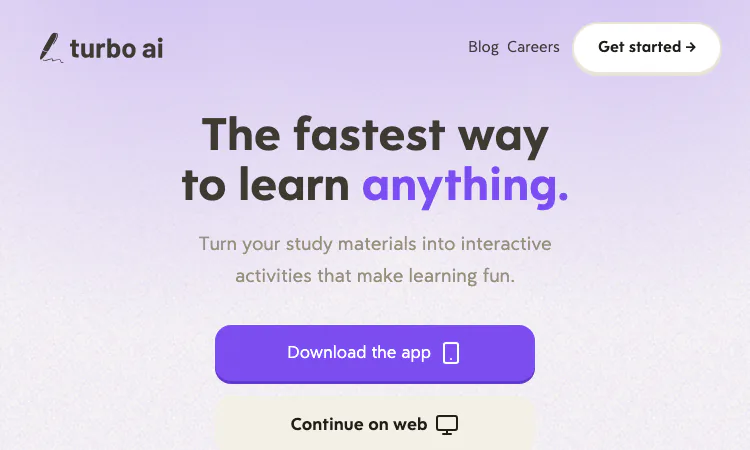
The pricing note comes first because it shapes the whole first week: Turbo AI has a free tier, and the free tier is not a demo. Per the site's own FAQ, it includes note generation, flashcards, and quizzes, which is the functional core of Turbo AI. The paid upgrade adds unlimited usage and advanced AI capabilities, and prices are not published on the homepage.
That means a new user can run the complete loop, capture through review, before deciding anything about money. This guide walks a realistic first week with Turbo AI, in the order the features are actually worth learning.
The entry point is the web app, reached through the continue-on-web button on the homepage, or the mobile app reached through download-the-app. Both exist; Turbo AI syncs across web, tablet, and mobile automatically, so the choice of first device is not a commitment.
Registration details live behind the button, so treat the exact sign-in flow as a two-minute discovery rather than something to research in advance. What matters is what you see after: a drop zone that accepts PDFs, videos, and recordings, with a syllabus file and an Introduction to Calculus slide deck as the worked example in the interface copy.
The study set that comes back is broader than most first-time users expect. One upload through Turbo AI returns structured notes, a flashcard deck, a quiz, and a podcast episode, all covering the same source. The first-visit mistake is opening only the notes, judging Turbo AI on them, and leaving; the quiz is where the week-one verdict actually forms.
The single best first action is also the most obvious: upload one real file from a course you actually care about. Not a test file, not last semester's PDF you no longer remember. The generated notes are the product's first impression, and you want that impression graded against material you can judge.
Quality in, quality out, and the first upload decides whether week one convinces you. Three practical criteria help.
Pick material you already half-know. You need to be able to spot a wrong note and a missing nuance, which is only possible on familiar ground. A chapter you have read once is ideal; a subject you have never studied is the worst case, because everything generated will look equally plausible.
Pick dense material. Turbo AI generates study sets from what it is given, so a rich slide deck yields a rich quiz and a meaningful flashcard deck, while a five-slide overview yields almost nothing. The calculus deck in the demo is the right kind of input.
Prefer a lecture recording if you have one, because it exercises the flagship path. The AI Notetaker in Turbo AI listens to lectures and writes notes during them; a recording you already made plays the same role for a first test, and the filtering of side conversation versus substance is the capability most worth checking with your own ears as reference.
The step most beginners skip is the one Turbo AI quietly insists on: the notes are a draft. Turbo AI includes a full editor in the Google Docs style, and the correct first-week habit is to open the generated notes beside the source and correct them once, while the material is fresh.
Ten minutes of correction pays forward through every later format. The flashcards, the quiz, and the podcast all draw from the same material, so a fixed definition propagates and an unfixed error propagates too. Deleting the sections your course will not test is equally valuable; it is the difference between a study set and a landfill.
The editor is also where the collaborative side of Turbo AI begins. Documents support live editing and sharing, so the corrected version can serve a whole study group instead of one laptop. Agreeing on a single canonical set inside Turbo AI beats the usual chain of forwarded attachments, and week one is the right time to set that habit rather than midterms week.
While editing, note how technical formatting survived the trip. The site states that Turbo AI handles math formulas, chemical equations, physics diagrams, and code snippets with formatting preserved. If your subject is formula-heavy, week one is when to verify that claim on your own material rather than trusting either the marketing or a single bad experience.
If your course is a standard one, generation may already be done. Turbo AI maintains a library of premade AP study guides and books, browsable before you upload anything.
For an AP student, the shortcut is real: the guide for the exam exists, was built from the course's actual scope, and skips the upload step entirely. For a university course with an idiosyncratic professor, the premade library is a supplement at best, because the exam will follow the professor's emphasis rather than the standard syllabus. Knowing which situation you are in saves a wasted evening. Browsing the Turbo AI library before uploading anything is itself a five-minute orientation to how the platform organizes a course.
The honest trigger for paying is volume, not features. The free tier's note generation, flashcards, and quizzes cover a full single-course workflow. The upgrade to unlimited matters when a term's worth of lectures, or a multi-course load, pushes against the free limits, and the advanced capabilities matter when your use grows beyond the core loop.
A reasonable first-week schedule looks like this. Day one: upload one familiar, dense file, read the notes, correct them. Day two: run the quiz, note which wrong answers mark real gaps. Day three: use the flashcards on a commute and try the podcast format. Day four: if your classes are recordable, try the notetaker path with permission. Day five: share one document with a classmate to test the live collaboration. Every step happens inside the same Turbo AI account, and the sync across web, tablet, and mobile means no step depends on which device is nearby.
If by the weekend the corrected notes are better than what you would have written by hand at speaking speed, Turbo AI has made its case, and the upgrade decision reduces to how many lectures per week you have. Ten million learners and a 4.8 rating across more than 300,000 reviews suggest the case usually lands, but the only opinion that matters is the one formed on your own slides inside Turbo AI during a week that cost nothing.

Flying Roadster AI Video Generator takes a car photo on a cinematic journey, with optional portrait, vertical or widescreen framing, and downloadable results.

Project Moon Life is a free browser journey through a changing City, where each randomized life follows a different route shaped by your choices.
Flower Wand Garden is a free, browser-based interactive camera experience that turns your fingertip into a virtual magic wand.
Seven free football mini-games in one browser hub — career sims, legend guessing, squad building, and a daily challenge that is identical for everyone.

Get an instant, fully in-browser PSL rating from one photo — nothing uploads anywhere, and you receive a score, tier, breakdown, and share-ready card.
Recreate the hidden band of a world flag with HSB sliders while the preview updates live — five rounds a game, scored by perceptual color distance.